Integrating Mavka with GitHub with Personal Access Token
Mavka offers the option to perform code reviews on GitHub repositories using a Personal Access Token (PAT). By providing Mavka with a PAT, all comments, pull request descriptions, and other actions will be executed under the identity of the PAT owner.
What is a Personal Access Token (PAT)?
A Personal Access Token (PAT) is a secure way to authenticate to GitHub. When a PAT is granted to Mavka, it allows Mavka to act on your behalf, including writing comments, performing reviews, and managing pull request descriptions directly on your GitHub repository.
Steps to Integrate Mavka with a PAT
Step 1: Create a Personal Access Token on GitHub
To enable Mavka to interact with your GitHub repository using a PAT, you first need to create the token in your GitHub account.
-
Go to GitHub Personal Access Token Settings:
-
Leave already selected settings as they are.
-
Generate and Save the Token:
- Click the “Generate Token” button at the end of the page.

- Important: Copy and save the generated token. You will not be able to see it again once you navigate away from this page.
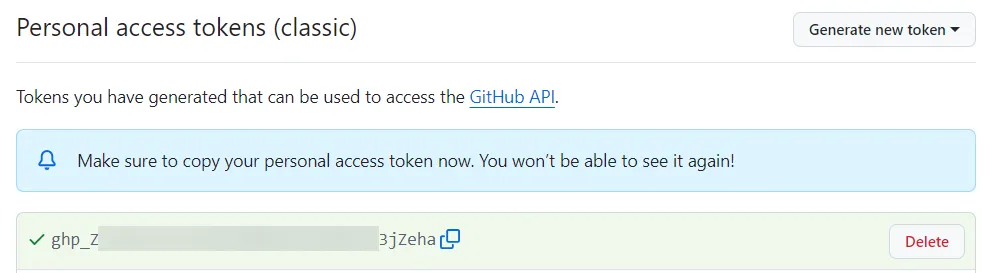
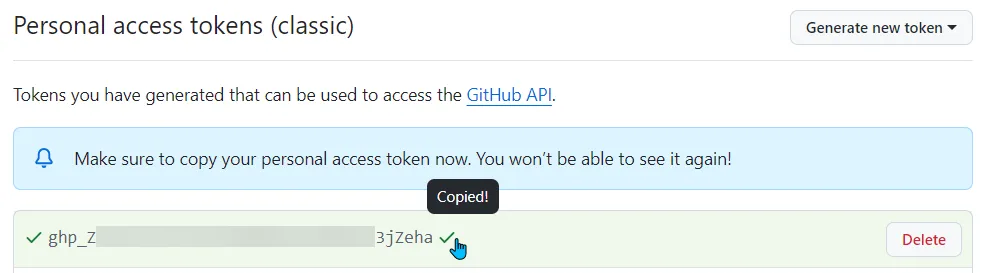
- Click the “Generate Token” button at the end of the page.
Step 2: Provide the Token to Mavka
After generating the PAT, you will need to supply this token to Mavka so it can authenticate on your behalf.
-
Access Mavka’s Token Submission Page:
- Go to Mavka’s account settings and navigate to the Token Submission section.
-
Submit Your PAT:
- Paste the copied PAT into the token input field and confirm the submission. This action allows Mavka to authenticate using your GitHub account and perform actions related to pull request reviews.
-
Add Repositories:
- Ensure that the repositories where you want Mavka to operate are added to be reviewed using PAT.
Step 3: Mavka’s Interaction Using the PAT
Once the PAT has been provided, Mavka will begin to perform the review actions on your repositories.
- Security: Ensure that your PAT is kept secure. You should not share it outside trusted applications like Mavka, and always revoke access if you no longer need it.
- PAT Expiration: If your PAT expires or is revoked, Mavka will no longer be able to perform reviews. Always keep your PAT active or refresh it as needed.
- Incorrect Scopes: If Mavka cannot write comments or reviews, ensure that the correct scopes (
repo,admin:repo_hook,admin:org_hook) have been selected when generating the PAT.
By following these steps, you can seamlessly integrate Mavka with GitHub, allowing Mavka to perform all review-related activities directly through your Personal Access Token. This ensures that Mavka’s operations are conducted on your behalf, providing a personalized experience.