Pause Mavka Reviews for Draft Pull Requests
Mavka allows you to pause reviews for specific pull requests by marking them as drafts. When a pull request is in draft mode, Mavka will not review any changes. Once the pull request is no longer a draft, Mavka will resume reviewing the changes.
How to Make a Pull Request a Draft
You can stop Mavka’s reviews by either marking a pull request as a draft or adding [draft] to the pull request title. Here are examples of how to do this on both GitHub and GitLab.
GitHub: Marking a Pull Request as a Draft
When creating or editing a pull request, you have the option to mark it as a draft.
-
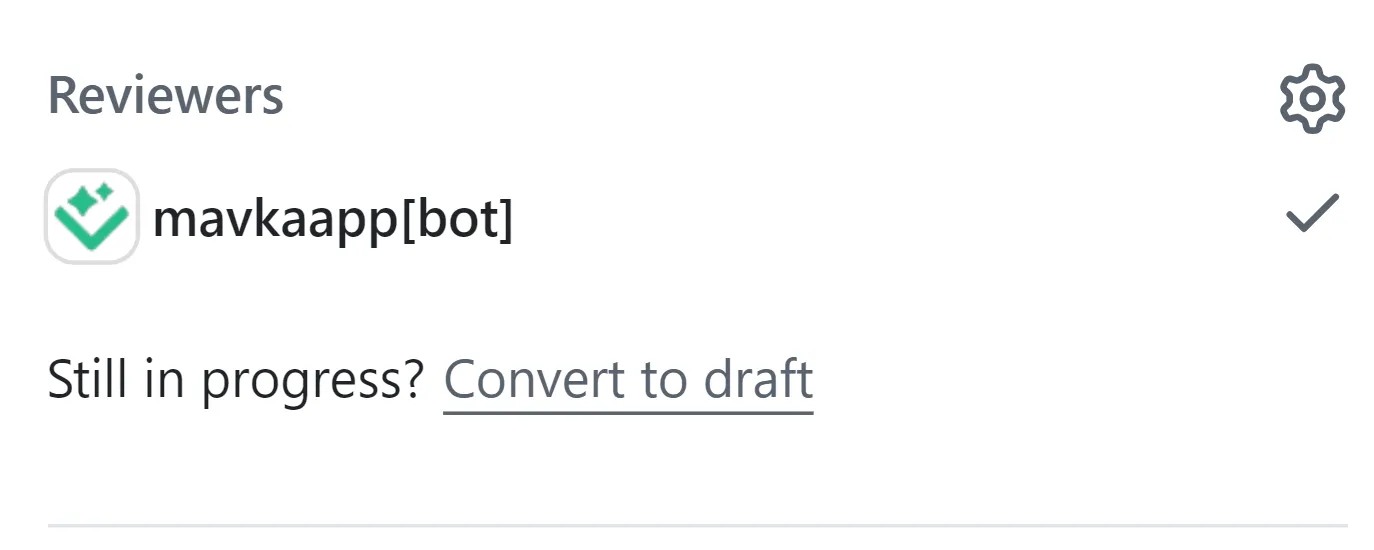
Converting an existing pull request to a draft:
- Go to the pull request you’d like to convert to a draft.
- In the right sidebar, under “Reviewers” click Convert to draft.
-
Creating a pull request as a draft:
- When you open a pull request, a dropdown arrow appears next to the “Create pull request” button.
- Toggle the dropdown arrow to create as a draft.
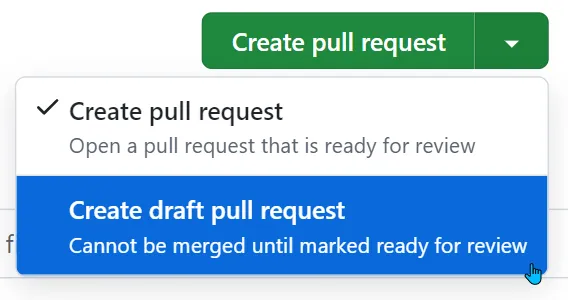
Once the pull request is in draft mode, Mavka will stop reviewing it.
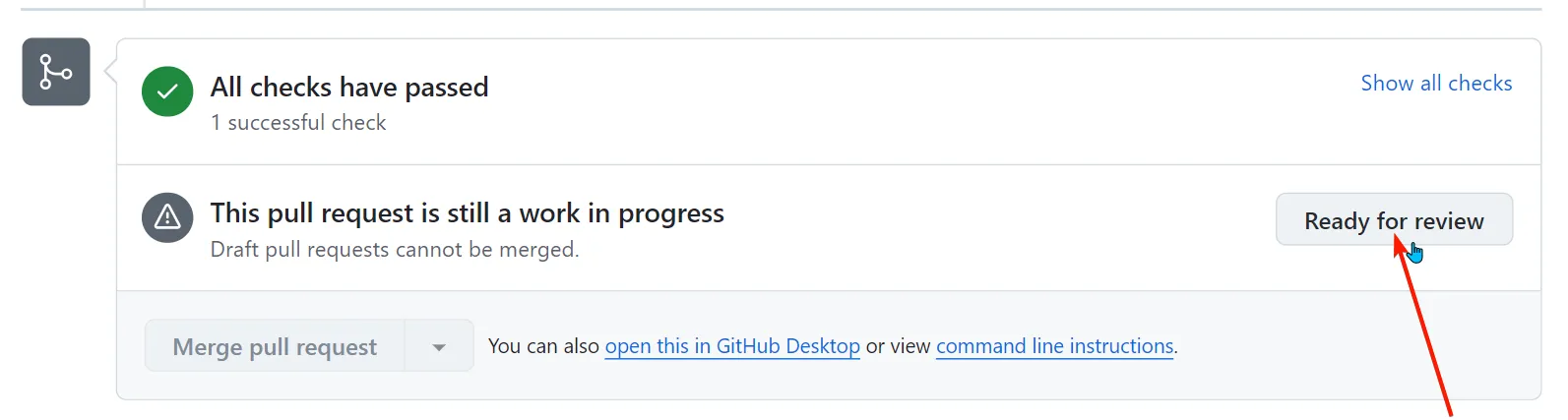
When you are ready to resume, you can remove the draft status:
- Go to the pull request you’d like to mark as ready for review.
- In the merge box, click Ready for review.
GitLab: Marking a Pull Request as a Draft
In GitLab, you can mark a merge request as a draft and mark it as ready in multiple ways. We suggest you familiarize yourself with these in the GitLab official documentation. For now, you can follow these simple ones:
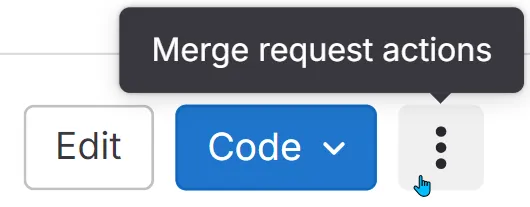
- Mark a merge request as a draft:
- Go to the merge request you’d like to convert to a draft.
- In the upper-right corner of the merge request, select Merge request actions (three vertical dots), then Mark as draft.
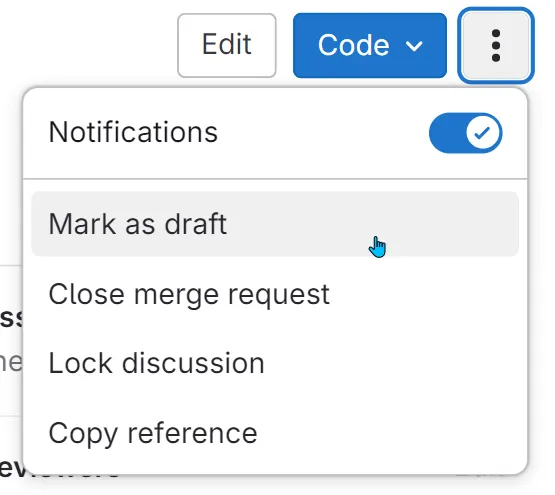
When you are ready to resume, you can remove the draft status.
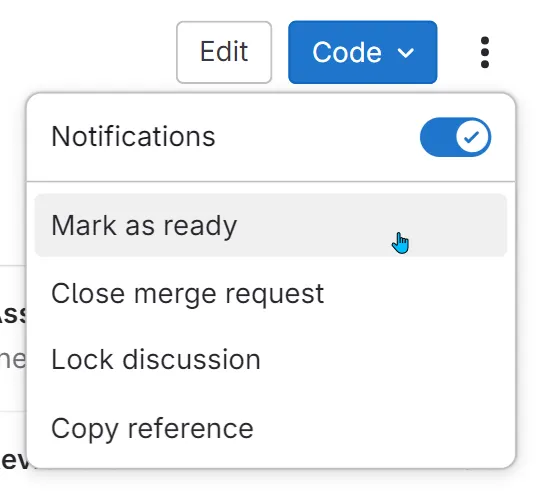
- Mark a merge request as ready for review:
- Go to the pull request you’d like to mark as ready for review.
- In the upper-right corner of the merge request, select Merge request actions (three vertical dots), then Mark as ready.
Using [draft] in the Title
Another option to stop Mavka reviews is to add [draft] to the pull request title. This works on both GitHub and GitLab.
Example
Update project documentation [draft]
As long as [draft] is present in the title, Mavka will not review the pull request. When you remove [draft] from the title, reviews will resume automatically.
By using these methods, you can control when Mavka reviews your pull requests, ensuring reviews only happen when you’re ready.